Remove split button from settlement button - #98963
Conversation


![chatgpt-codex-connector[bot]](https://avatars.githubusercontent.com/in/1144995?s=60&v=4)

There was a problem hiding this comment.
💡 Codex Review
Here are some automated review suggestions for this pull request.
Reviewed commit: a458c774fc
ℹ️ About Codex in GitHub
Codex has been enabled to automatically review pull requests in this repo. Reviews are triggered when you
- Open a pull request for review
- Mark a draft as ready
- Comment "@codex review".
If Codex has suggestions, it will comment; otherwise it will react with 👍.
When you sign up for Codex through ChatGPT, Codex can also answer questions or update the PR, like "@codex address that feedback".
| shouldAlwaysShowDropdownMenu | ||
| customText={customText} |
There was a problem hiding this comment.

When a user can approve but cannot pay, the caller sets shouldHidePaymentOptions and shouldShowApproveButton, producing the single approveButtonOption. Forcing the dropdown branch makes customText override that option's label, so the primary action now says “Pay {amount}” and opens a one-item menu even though payment is unavailable and the only action is Approve. Keep the approve-only case as a direct Approve button, or derive the displayed text from its sole option.
Useful? React with 👍 / 👎.
There was a problem hiding this comment.
shouldShowApproveButton is true when the approved animation is running and SettlementButton won't be shown when an animation is running.
App/src/components/SettlementButton/AnimatedSettlementButton.tsx
Lines 184 to 190 in f248344
There was a problem hiding this comment.
Removed the dead shouldShowApproveButton logic
|
Hey, I noticed you changed If you want to automatically generate translations for other locales, an Expensify employee will have to:
Alternatively, if you are an external contributor, you can run the translation script locally with your own OpenAI API key. To learn more, try running: npx bun ./scripts/generateTranslations.ts --helpTypically, you'd want to translate only what you changed by running |

| onPaymentOptionsShow={onPaymentOptionsShow} | ||
| onPaymentOptionsHide={onPaymentOptionsHide} | ||
| formattedAmount={formattedAmount} | ||
| confirmApproval={confirmApproval} |
There was a problem hiding this comment.
Dead prop. shouldShowApproveButton is not passed as true in this component, so confirmApproval will never be called.

Codecov Report❌ Looks like you've decreased code coverage for some files. Please write tests to increase, or at least maintain, the existing level of code coverage. See our documentation here for how to interpret this table.
|


|
I can take product review here |

|
🚧 joekaufmanexpensify has triggered a test Expensify/App build. You can view the workflow run here. |
This comment has been minimized.
This comment has been minimized.

 joekaufmanexpensify
left a comment
joekaufmanexpensify
left a comment
joekaufmanexpensify
left a comment
There was a problem hiding this comment.
Working well from my perspective!
|
@truph01 could you share an ETA for reviewing this one? |

Reviewer Checklist
Screenshots/VideosAndroid: HybridAppScreen.Recording.2026-08-25.at.11.01.39.movAndroid: mWeb ChromeScreen.Recording.2026-08-25.at.10.59.19.moviOS: HybridAppScreen.Recording.2026-08-25.at.10.58.09.moviOS: mWeb SafariScreen.Recording.2026-08-25.at.11.01.12.movMacOS: Chrome / SafariScreen.Recording.2026-08-25.at.10.40.10.mov |
Bug: 1
|

|
It was a bug in |


| const {accountID: currentUserAccountID} = useCurrentUserPersonalDetails(); | ||
|
|
||
| const hasPreferredPaymentMethod = !!lastPaymentMethod; | ||
| const lastPaymentPolicy = usePolicy(lastPaymentMethod); |
There was a problem hiding this comment.
NAB. can we also drop defaultSelectedIndex, lastPaymentPolicy = usePolicy(lastPaymentMethod), and the event ? lastPaymentPolicy : undefined fallback? With isSplitButton={false} and customText always set they no longer affect anything, so every settlement button keeps a policy subscription whose result is thrown away.
 grgia
left a comment
grgia
left a comment
grgia
left a comment
There was a problem hiding this comment.
@bernhardoj lemme know thoughts on that comment, otherwise LGTM can approve/merge
|
You're right, we can remove them. Removed. |
|
🚧 grgia has triggered a test Expensify/App build. You can view the workflow run here. |

|
✋ This PR was not deployed to staging yet because QA is ongoing. It will be automatically deployed to staging after the next production release. |
|
🧪🧪 Use the links below to test this adhoc build on Android, iOS, and Web. Happy testing! 🧪🧪
|


|
🚀 Deployed to staging by https://github.com/grgia in version: 9.4.64-0 🚀
|


|
Yes — one help site article needed updating. Draft PR: #99800
What the docs PR changes
Needs a human: No other article needed changes. How I verified the new behaviorDrove dev NewDot on web: created a workspace, submitted a €25.00 expense to myself, approved it, then inspected the payable report.
Evidence (3)Report header showing a single Pay button with no dropdown segment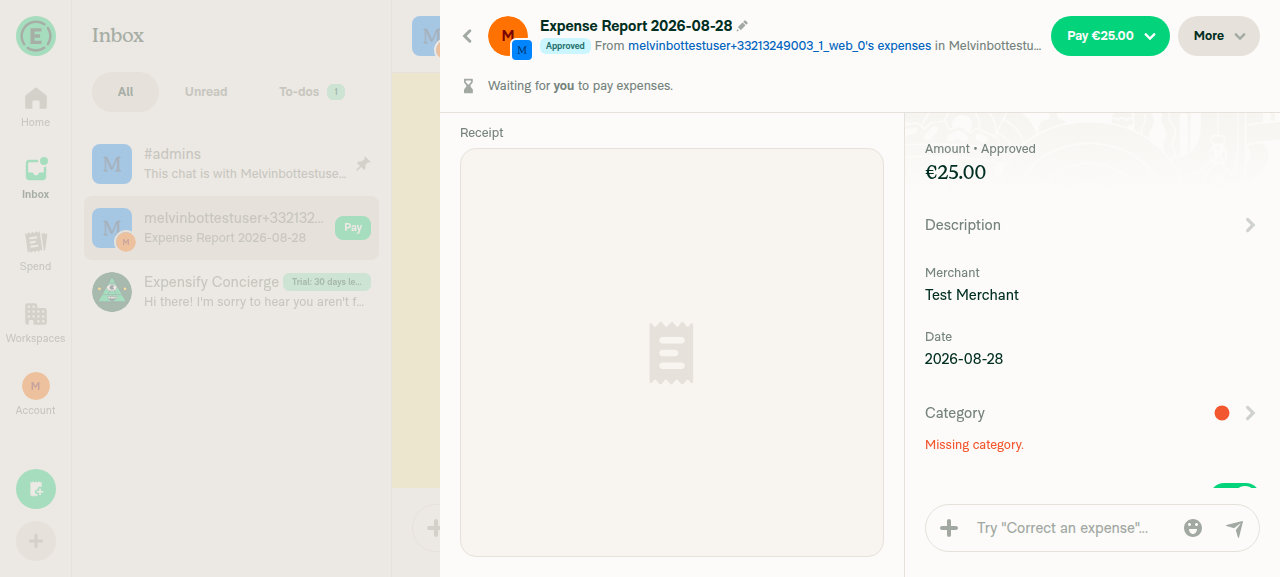
Payment method menu showing Pay with business account and Mark as paid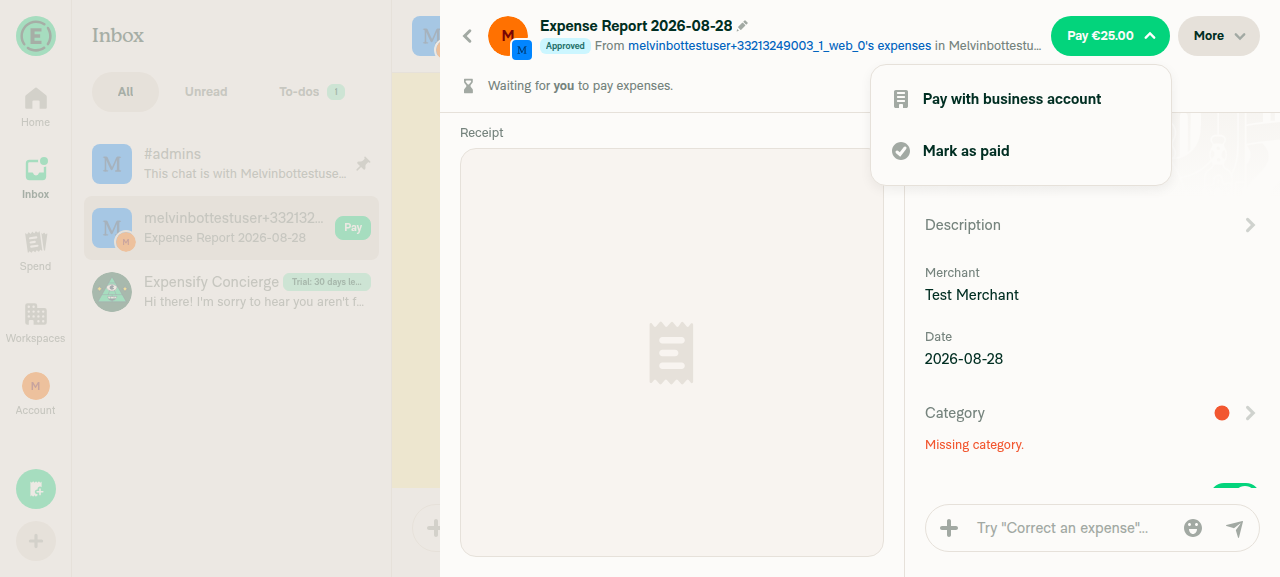
Report preview card pay button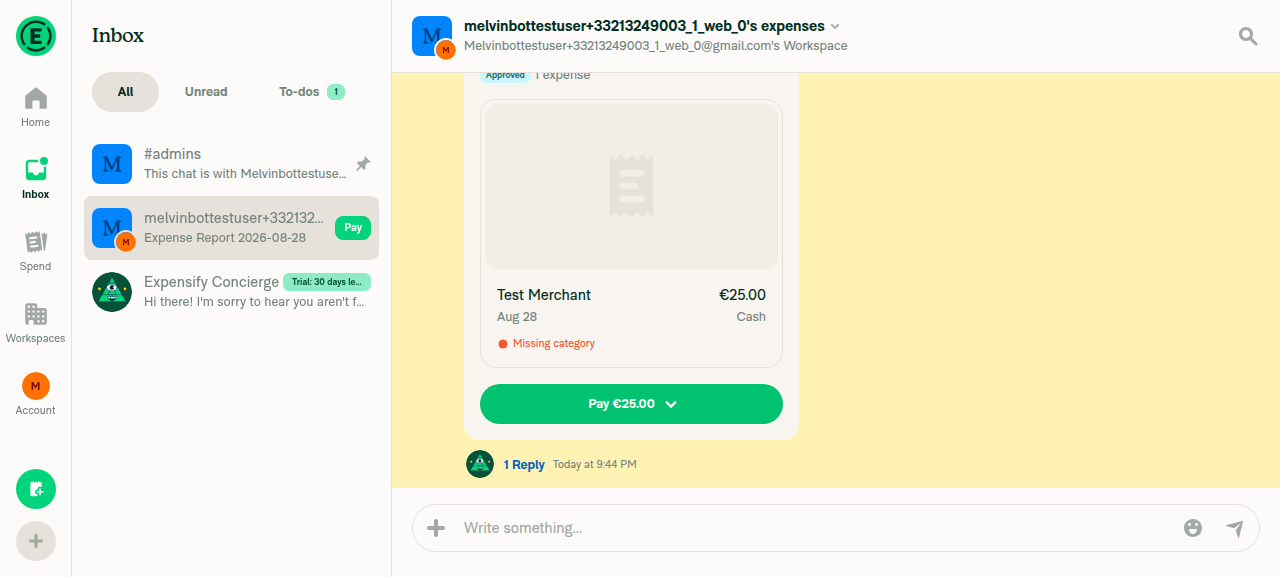
@bernhardoj, please review the linked help site PR and confirm it reflects the current behavior. Then mark the linked help site PR |
6 participants


Explanation of Change
Fixed Issues
$ #98663
PROPOSAL:
Tests
Same as QA Steps
Offline tests
Same as QA Steps
QA Steps
Prerequisite: have at least once paid a report on a workspace
DM
Prerequisite: have paid a user at least once
PR Author Checklist
### Fixed Issuessection aboveTestssectionOffline stepssectionQA stepssectionAvatar, I verified the components usingAvatarare working as expected)StyleUtils.getBackgroundAndBorderStyle(theme.componentBG))npm run compress-svg)Avataris modified, I verified thatAvataris working as expected in all cases)Designlabel and/or tagged@Expensify/designso the design team can review the changes.mainbranch was merged into this PR after a review, I tested again and verified the outcome was still expected according to theTeststeps.Screenshots/Videos
Android: Native
Android: mWeb Chrome
iOS: Native
iOS: mWeb Safari
MacOS: Chrome / Safari
web.mp4