A self-hosted AI coding assistant for VS Code that works with LM Studio, Ollama, vLLM, llama.cpp, and more.
Selfcoder brings chat, planning, and autonomous coding workflows into Visual Studio Code. Connect LM Studio, Ollama, vLLM, llama.cpp, or another OpenAI compatible backend and choose the model that fits your hardware.
This repository is the public home for Selfcoder documentation, Marketplace installation details, and issue tracking.



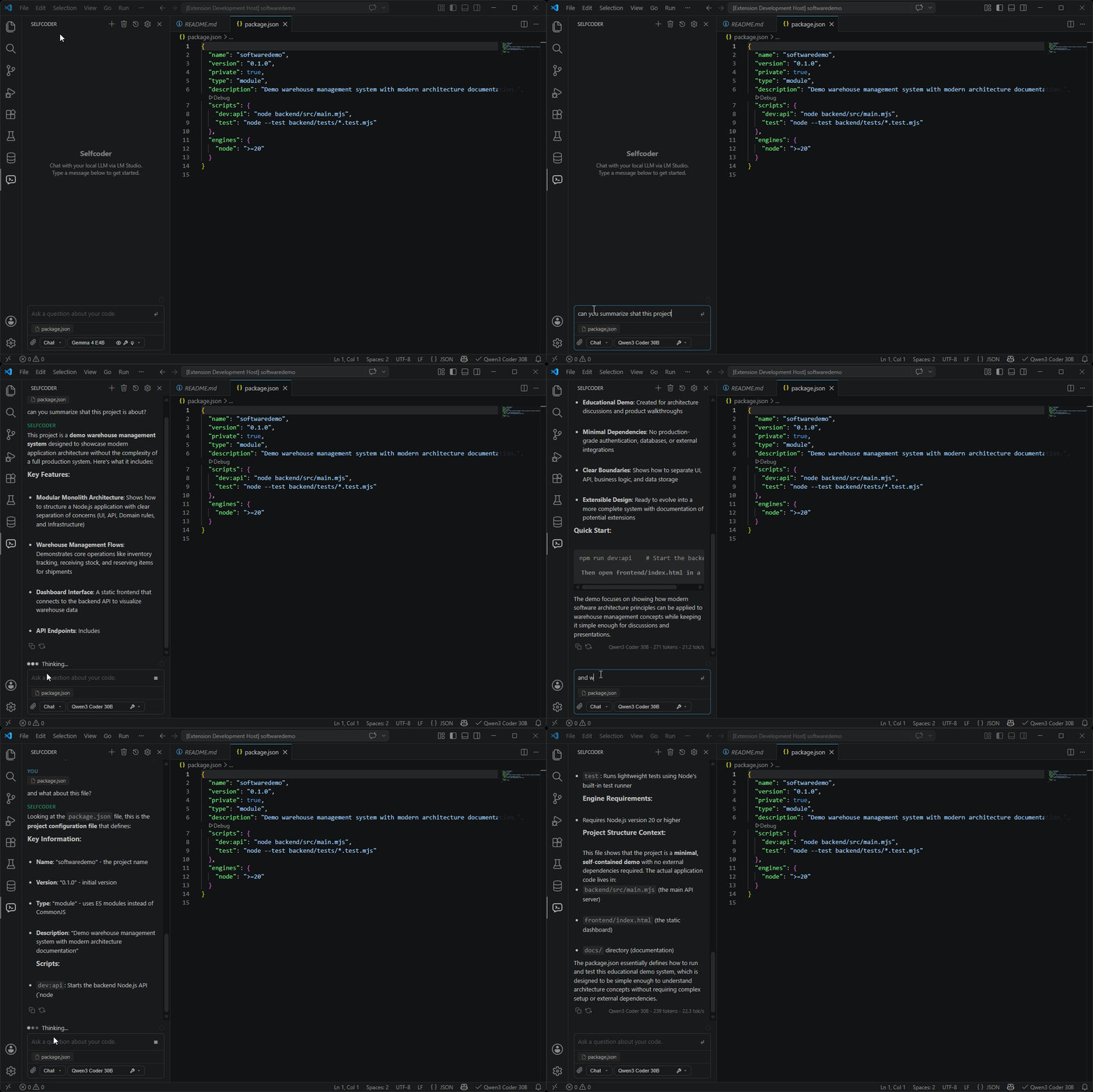
- Adds a dedicated chat panel for self-hosted AI coding sessions.
- Adds Plan mode for investigating a codebase and designing a solution without editing files or running terminal commands.
- Includes Agent mode for implementing and verifying larger workspace tasks, with permission controls, change review, and revert.
- Connects to models served by LM Studio, Ollama, vLLM, llama.cpp, and other OpenAI-compatible servers.
- Supports model-aware workspace context, pinned files, attachments, and chat history.
- Includes sidepanel slash commands for help, context preview, review, model listing, export, compaction, and project initialization.
- Integrates with VS Code native chat through the
@Selfcoderparticipant. - Exposes eligible configured models to the VS Code model picker.
- Supports image attachments for vision-capable models.
Install Selfcoder from the Visual Studio Marketplace.
To install it from VS Code:
- Open VS Code.
- Go to Extensions.
- Search for "Selfcoder".
- Install the extension published by "Coderoom".
- Reload VS Code if prompted.
After installing, start your model backend, pick a model, and open Selfcoder from the VS Code activity bar.
Use the mode selector in the Selfcoder composer to choose how much action the model can take:
| Mode | Best for | Workspace access |
|---|---|---|
| Chat | Questions, explanations, and code suggestions | Uses the context Selfcoder selects; does not modify the workspace. |
| Plan | Repository investigation and implementation planning | Can actively read and search, but cannot edit files, run terminal commands, delegate work, or switch itself into Agent. |
| Agent | Implementing and verifying a solution | Can read, edit, and run commands according to your permission setting. |
Plan and Agent require a tool-capable model. They run through Selfcoder's managed OpenCode runtime and share one session, so you can investigate in Plan and switch to Agent without losing the reasoning and repository context. Switching modes never starts implementation by itself.
See Plan Mode for the safety model and workflow, or Core Workflows for all three modes.
| Backend | Default endpoint | Use case |
|---|---|---|
| LM Studio | http://localhost:1234 |
Easy setup, local model management, GUI friendly |
| Ollama | http://localhost:11434 |
CLI-driven model management, simple local runtime |
| OpenAI compatible | http://localhost:8000 |
Connect vLLM, llama.cpp, or another backend with /v1/models and streaming /v1/chat/completions |
See Models and Backends for setup details and compatibility requirements.
Project documentation is available in the docs directory.
Useful starting points:
- Getting Started
- Core Workflows
- Plan Mode
- Slash Commands
- Context and Attachments
- Models and Backends
- Settings and Privacy
- Troubleshooting
Use GitHub Issues to report bugs, request improvements, or share compatibility notes for specific models and backends.
Use the Visual Studio Marketplace page for the current version, installation, and changelog details.
Visit the Selfcoder website for the product overview, installation links, and updates.