Scripts for adding a "Install with WeiDU" context menu entry to file managers.

This package provides the means to add or remove context menu entries to graphical file managers for installing WeiDU mods.
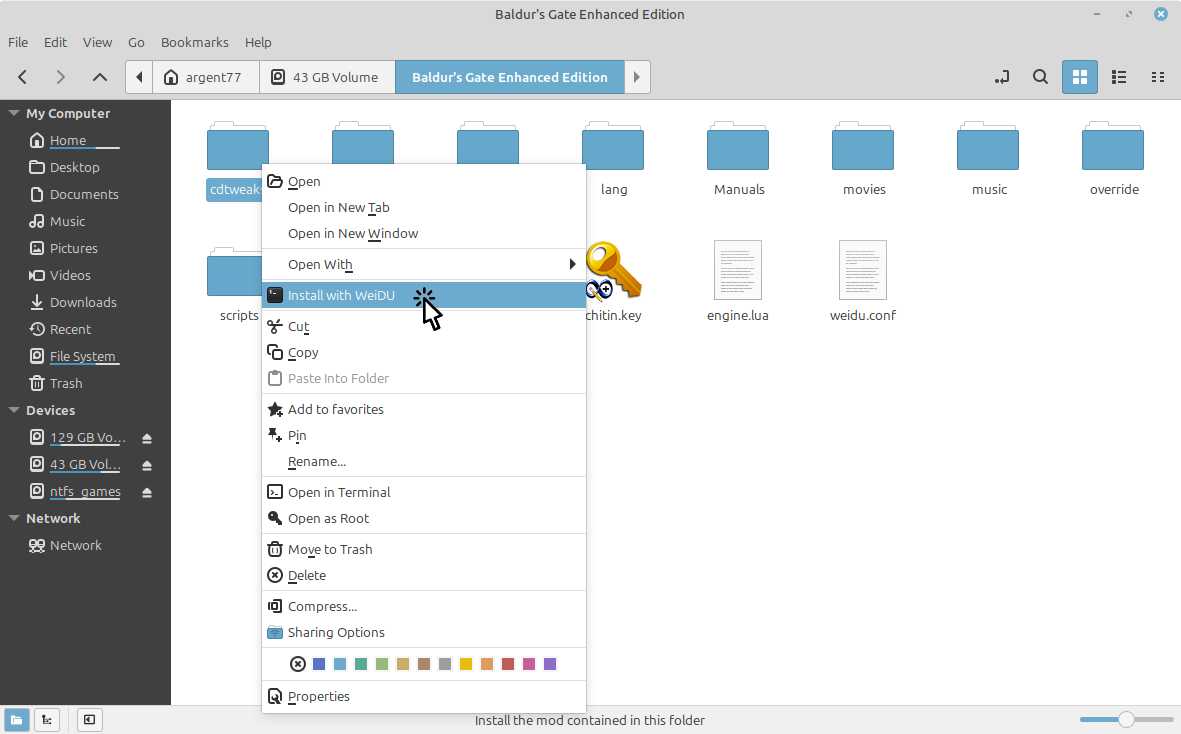
1. Right-click on the mod folder or tp2 script file and choose "Install with WeiDU":
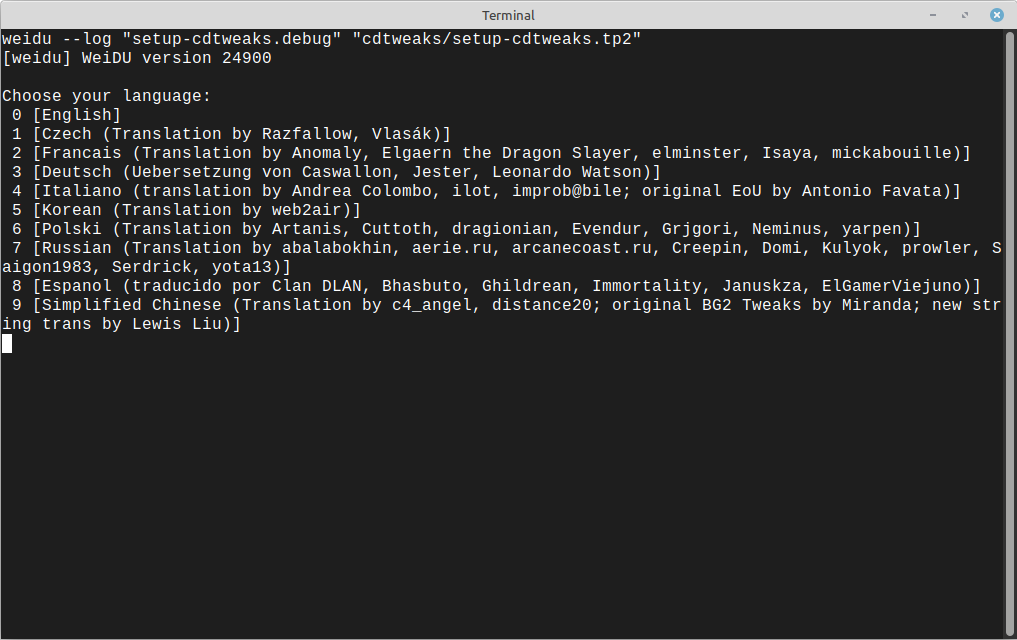
2. Terminal window with the interactive mod installation shows up:
If this feature is enabled then setup executables includes in mod packages are not needed anymore.
The package supports several platforms and desktop environments:
Windows:
- Windows Explorer and many third party file managers (e.g. Total Commander)
Linux:
- GNOME / Nautilus
- KDE Plasma / Dolphin
- Cinnamon / Nemo
- Mate / Caja
- Xfce / Thunar
- Double Commander
Other third party file managers, like Krusader, may be compatible as well.
- Download and unpack WeiDU for Windows: https://github.com/WeiDUorg/weidu/releases?q=prerelease%3Afalse
- Copy the scripts from the "Windows" folder of this package into the WeiDU directory.
- Run
register_weinstall-dir_tp2.cmdorregister_weinstall-dir.cmdto install the context menu entry.
See readme-windows.txt inside the package for more detailed instructions.
- Download and unpack WeiDU for Linux: https://github.com/WeiDUorg/weidu/releases?q=prerelease%3Afalse
- Copy the scripts from the "Linux" folder of this package into the WeiDU directory.
- Run
register_weinstall.shto install the context menu entry.
See readme-linux.txt inside the package for more detailed instructions.
All scripts are published under the MIT license.