Skip to content

Send expected bootsplash, auth retry and Pusher teardown signals to Sentry logs instead of the error stream - #99789

Draft
MelvinBot wants to merge 2 commits into
mainfrom
claude-sentryNoiseToLogs
Draft

Send expected bootsplash, auth retry and Pusher teardown signals to Sentry logs instead of the error stream#99789
MelvinBot wants to merge 2 commits into
mainfrom
claude-sentryNoiseToLogs

Conversation

@MelvinBot

Copy link
Copy Markdown
Contributor

Explanation of Change

Three call sites reported conditions their own code comments describe as expected, using Sentry's error stream. Each is now a Sentry log instead, so the signal is kept but stops counting against the error quota. This implements items 2 and 4 of the audit shortlist in #99784.

1. Bootsplash monitor (src/libs/telemetry/bootsplashTelemetry.ts)

startBootsplashMonitor called Sentry.captureMessage on a 10-second interval for as long as the splash stayed visible, with no upper bound. One stuck boot therefore emitted events for the whole session, and it was already level: 'warning' — nobody triages it as a crash.

It now calls Sentry.logger.warn, and stops after 6 reports. The cap needs to exist because the interval only clears when the splash state moves off VISIBLE; a splash that never hides would otherwise report forever. Six covers the first minute, which is where a recoverable stall resolves. Each report carries stuckForMs, which is the thing repeated reports were actually for — how long the gate stayed shut.

2. Authentication network_retry (src/libs/telemetry/trackAuthenticationError.ts)

trackAuthenticationError sent every error type through Sentry.captureException, including network_retry. That is the UNABLE_TO_RETRY path in Reauthentication, whose comment states the request failed on a spotty connection, the user is deliberately not logged out, and the retry mechanism takes it from there — a routine offline condition sitting in the error stream.

network_retry now goes to Sentry.logger.warn with its tags preserved as log attributes, so it stays searchable by authentication_function / authentication_json_code. Every other error type (missing_params, auth_failure, unexpected_error) still captures an exception, unchanged. This mirrors the classification trackMFAFlowOutcome already does, where routine outcomes are logged and only anomalous ones become events.

3. Pusher subscribe-after-disconnect (src/libs/Pusher/index.ts, index.native.ts)

Pusher.subscribe captured an exception when socket was gone in production. The comment on that branch already says this happens when disconnect() runs during the "Upgrade Required" teardown before the deferred TransitionTracker callback does — a teardown race, not a crash. It now logs. The __DEV__ branch is untouched, so a genuine subscribe-before-init in development still rejects the promise loudly.

Note on scope: this is a telemetry-routing change only. No user-facing behavior changes, and no diagnostic signal is removed — all three still report, just to Sentry logs (enableLogs: true is already set in setupSentry) rather than the error stream.

Fixed Issues

$ #99784
PROPOSAL: #99784 (comment)

Tests

// TODO: The human co-author must fill out the tests you ran before marking this PR as "ready for review"
// Please describe what tests you performed that validates your changed worked.

  • Verify that no errors appear in the JS console

Offline tests

// TODO: The human co-author must fill this out. The network_retry path in change 2 is reached by going offline or dropping the connection mid-reauthentication, so an offline pass is directly relevant here.

QA Steps

// TODO: These must be filled out, or the issue title must include "[No QA]."

// TODO: The human co-author must fill out the QA tests you ran before marking this PR as "ready for review".
// Please describe what QA needs to do to validate your changes and what areas do they need to test for regressions.

  • Verify that no errors appear in the JS console

PR Author Checklist

  • I linked the correct issue in the ### Fixed Issues section above
  • I wrote clear testing steps that cover the changes made in this PR
    • I added steps for local testing in the Tests section
    • I added steps for the expected offline behavior in the Offline steps section
    • I added steps for Staging and/or Production testing in the QA steps section
    • I added steps to cover failure scenarios (i.e. verify an input displays the correct error message if the entered data is not correct)
    • I turned off my network connection and tested it while offline to ensure it matches the expected behavior (i.e. verify the default avatar icon is displayed if app is offline)
    • I tested this PR with a High Traffic account against the staging or production API to ensure there are no regressions (e.g. long loading states that impact usability).
  • I included screenshots or videos for tests on all platforms
  • I ran the tests on all platforms & verified they passed on:
    • Android: Native
    • Android: mWeb Chrome
    • iOS: Native
    • iOS: mWeb Safari
    • MacOS: Chrome / Safari
  • I verified there are no console errors (if there's a console error not related to the PR, report it or open an issue for it to be fixed)
  • I followed proper code patterns (see Reviewing the code)
    • I verified that comments were added to code that is not self explanatory
    • I verified that any new or modified comments were clear, correct English, and explained "why" the code was doing something instead of only explaining "what" the code was doing.
    • I verified any copy / text that was added to the app is grammatically correct in English. It adheres to proper capitalization guidelines (note: only the first word of header/labels should be capitalized), and is either coming verbatim from figma or has been approved by marketing (in order to get marketing approval, ask the Bug Zero team member to add the Waiting for copy label to the issue)
  • If a new code pattern is added I verified it was agreed to be used by multiple Expensify engineers
  • I followed the guidelines as stated in the Review Guidelines
  • I tested other components that can be impacted by my changes (i.e. if the PR modifies a shared library or component like Avatar, I verified the components using Avatar are working as expected)
  • If a new CSS style is added I verified that:
    • A similar style doesn't already exist
    • The style can't be created with an existing StyleUtils function (i.e. StyleUtils.getBackgroundAndBorderStyle(theme.componentBG))
  • If new assets were added or existing ones were modified, I verified that:
    • The assets are optimized and compressed (for SVG files, run npm run compress-svg)
    • The assets load correctly across all supported platforms.
  • If the PR modifies code that runs when editing or sending messages, I tested and verified there is no unexpected behavior for all supported markdown - URLs, single line code, code blocks, quotes, headings, bold, strikethrough, and italic.
  • If the PR modifies a generic component, I tested and verified that those changes do not break usages of that component in the rest of the App (i.e. if a shared library or component like Avatar is modified, I verified that Avatar is working as expected in all cases)
  • If the PR modifies a component related to any of the existing Storybook stories, I tested and verified all stories for that component are still working as expected.
  • If the PR modifies a component or page that can be accessed by a direct deeplink, I verified that the code functions as expected when the deeplink is used - from a logged in and logged out account.
  • If the PR modifies the UI (e.g. new buttons, new UI components, changing the padding/spacing/sizing, moving components, etc) or modifies the form input styles:
    • I verified that all the inputs inside a form are aligned with each other.
    • I added Design label and/or tagged @Expensify/design so the design team can review the changes.
  • I added unit tests for any new feature or bug fix in this PR to help automatically prevent regressions in this user flow.
  • If the main branch was merged into this PR after a review, I tested again and verified the outcome was still expected according to the Test steps.

Screenshots/Videos

Android: Native
Android: mWeb Chrome
iOS: Native
iOS: mWeb Safari
MacOS: Chrome / Safari

AI Tests run by MelvinBot

Check Result
npm run typecheck ✅ passed
npm run lint-changed ✅ passed
npx eslint <changed files> ✅ passed — only pre-existing eslint-seatbelt warnings on untouched lines of the Pusher files
npm run spell-changed -- <changed files> ✅ passed (0 issues)
npm test -- --silent tests/unit/bootsplashTelemetryTest.ts tests/unit/trackAuthenticationErrorTest.ts ✅ 8/8 passed (new tests)
npm test -- --silent on existing tests covering touched code (PusherSubscribeTest, PusherSubscribeWebTest, PusherPingPongTest, ReauthenticationMiddlewareTest, forwardLogsToSentryTest, setupSentryIntegrationOrderTest) ✅ 39/39 passed

Not run, with reasons:

  • npm run prettier — App has no prettier script or prettier config of its own; ESLint (with eslint-config-prettier) is the formatting gate here and it passed. Invoking prettier directly picked up an unrelated parent-directory config.
  • Full npm test — only the suites covering the touched code were run, listed above. The full suite was not run in this environment.
  • npm run storybook -- --smoke-test --ci and npm run react-compiler-compliance-check check-changed — no components, hooks, or .tsx files changed.

New tests added:

  • tests/unit/bootsplashTelemetryTest.ts — asserts the stuck splash goes to Sentry.logger.warn and not captureMessage, that stuckForMs grows across reports, that reporting is capped at 6 rather than growing with session length, and that a hidden splash reports nothing.
  • tests/unit/trackAuthenticationErrorTest.ts — asserts network_retry logs (with its tags preserved as attributes) and never captures an exception, while auth_failure and unexpected_error still capture exceptions.

Not covered by a new test: the Pusher change. PusherSubscribeWebTest's harness never reaches the production !socket branch — under Jest __DEV__ is true, so that path rejects instead. The change is a one-line swap of the telemetry call with no surrounding logic change, and the existing Pusher suites still pass.

…entry logs instead of the error stream

The bootsplash monitor captured an event every 10s for as long as the splash stayed up, so a single stuck boot emitted unbounded error-stream volume. It now forwards a Sentry log carrying how long the gate stayed shut, capped at six reports.

trackAuthenticationError sent the retryable UNABLE_TO_RETRY path as an exception even though the user is deliberately kept signed in and the retry mechanism handles it. That error type now goes to Sentry logs, keeping its tags as log attributes; every other error type still captures an exception.

Pusher.subscribe captured an exception when the socket was gone, a race its own comment describes as expected during Upgrade Required teardown. It now logs instead, on both web and native.

Co-authored-by: Rodrigo Lino da Costa <rlinoz@users.noreply.github.com>
@melvin-bot melvin-bot Bot added Melvin-Test-Android Melvin-Test-Web Triggers Melvin to run the testing steps of the PR on web labels Aug 28, 2026
@MelvinBot
MelvinBot requested a review from a team August 28, 2026 20:21
@codecov

codecov Bot commented Aug 28, 2026

Copy link
Copy Markdown

Codecov Report

✅ Changes either increased or maintained existing code coverage, great job!

Files with missing lines Coverage Δ
src/libs/Pusher/index.native.ts 80.09% <100.00%> (ø)
src/libs/telemetry/bootsplashTelemetry.ts 100.00% <100.00%> (+58.33%) ⬆️
src/libs/telemetry/trackAuthenticationError.ts 100.00% <100.00%> (ø)
src/libs/Pusher/index.ts 53.45% <0.00%> (ø)
... and 13 files with indirect coverage changes

Co-authored-by: Rodrigo Lino da Costa <rlinoz@users.noreply.github.com>
@MelvinBot

Copy link
Copy Markdown
Contributor Author

Fixed and pushed — Oxfmt check now passes.

Cause: one line in the new test file was 191 characters, one over the printWidth: 190 set in .oxfmtrc.json. npm run fmt rewrote it, so the "no Oxfmt diff" gate failed.

Fix: wrapped that call's arguments the way oxfmt formats them, in tests/unit/trackAuthenticationErrorTest.ts:25 (commit 54d21a7). Whitespace only — no assertion changed.

The only remaining failure is Check independent approval, which just needs a human reviewer. All 8 test jobs, typecheck, ESLint check, spellcheck, Bun tests, Storybook tests, and the builds pass on the new commit; the two perf jobs are still running.

Why the earlier local run missed it

The AI-test table in the PR body lists ESLint, typecheck, spellcheck, and Jest — none of which enforce oxfmt's print width, and npm run fmt was skipped on the reasoning that ESLint was the formatting gate. It isn't; Oxfmt check is a separate required job. Running npm run fmt before committing would have caught this.

In this run I could not execute npm run fmt (the sandbox blocked npm and node_modules binaries), so I derived the wrap from the config and confirmed against CI, which now passes.


view run

@MelvinBot

Copy link
Copy Markdown
Contributor Author

Web test run: ✅ pass

Ran this PR's testing steps on Web against the claude-sentryNoiseToLogs branch (HEAD ecd48a1). No user-facing regression: the app booted to Home, chat and Settings navigation worked, and a full offline → online cycle completed cleanly with zero failed HTTP requests.

Step Status Observation
App boots past bootsplash and reaches Home with no hang ✅ pass Session resumed on the post-join loading screen; after clicking Join the app settled directly onto the Home tab (heading "Home", Expense/Report/Distance quick actions, Concierge intro) with no stuck splash.
No errors in JS console after app loads and reaches Home ✅ pass agent-device web has no browser-console command (logs returns UNSUPPORTED_OPERATION on this platform), so network dump was used as the proxy: OpenApp, AuthenticatePusher, SearchForTodos, UpdateAutomaticTimezone, Search, Log, PusherPing and all bundle/asset fetches returned 200. No 4xx/5xx, no error boundary or red screen.
Navigate to a chat and Settings — no console errors during normal use ✅ pass Opened Inbox → Concierge chat (welcome message rendered) and Account → Profile → Preferences → Troubleshoot; all screens rendered correctly. network dump for this window showed only 200s (OpenReport, OpenInitialSettingsPage, OpenTroubleshootSettingsPage, PusherPing, Ping).
Offline pass: offline indicator appears, navigation/send works, no console errors ✅ pass Enabled Settings → Troubleshoot → "Force offline". The "You appear to be offline" banner appeared. Navigated to Inbox and sent "Testing offline message send" — the message queued in the thread with no error dialog. network dump showed only 200s.
Back online: indicator clears, pending message syncs, no console errors ✅ pass Disabled "Force offline" — dependent toggles unlocked and the offline banner disappeared. network dump immediately showed ReconnectApp, OpenReport (×2), AddComment, GetNewerActions, SearchForTodos, Log all at 200. Reopened the Concierge chat and the queued message displayed as delivered, no pending/error state. Full-session scan: zero 4xx/5xx end to end.
Evidence (6)

App booted to Home after bootsplash, no hang
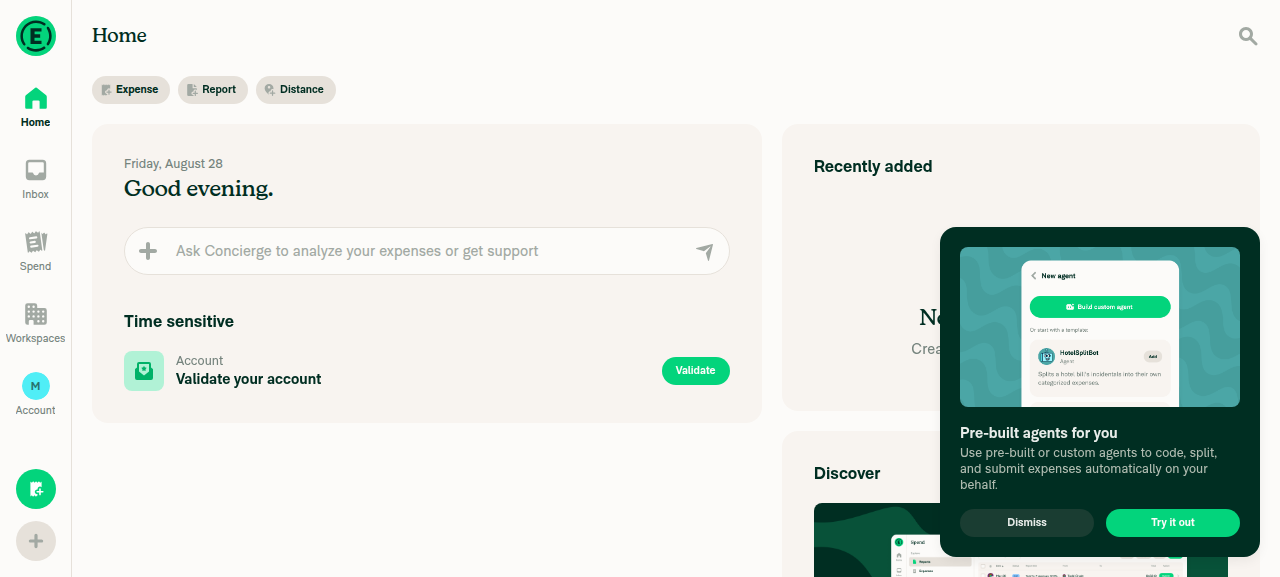
App booted to Home after bootsplash, no hang

Concierge chat and Settings/Profile navigation working normally
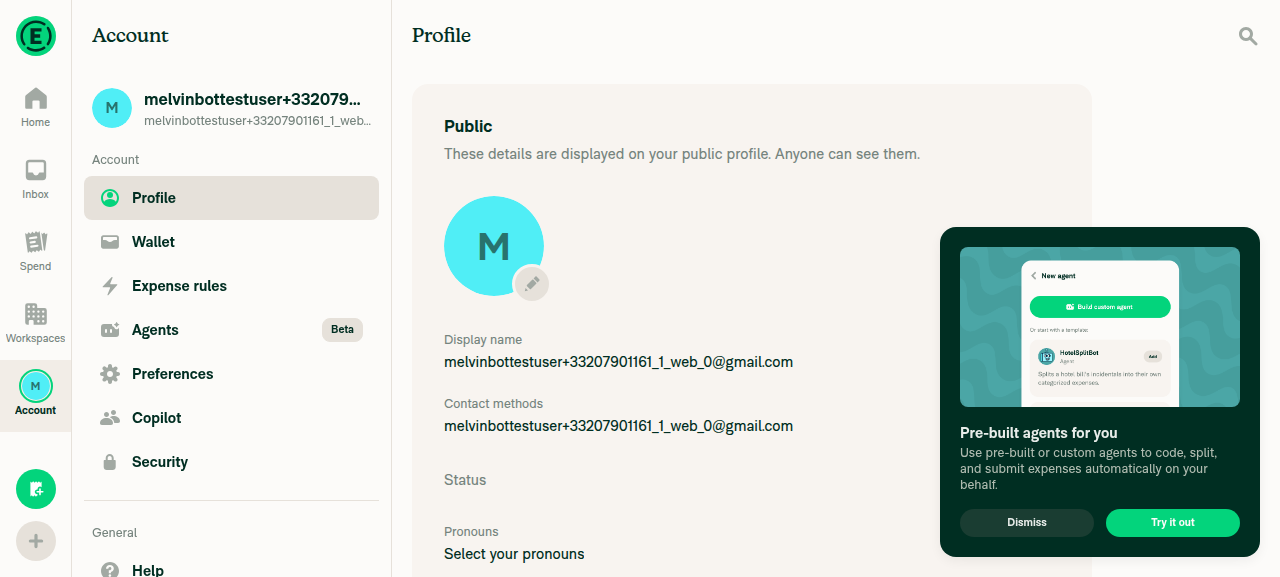
Concierge chat and Settings/Profile navigation working normally

Force offline enabled; 'You appear to be offline' banner visible
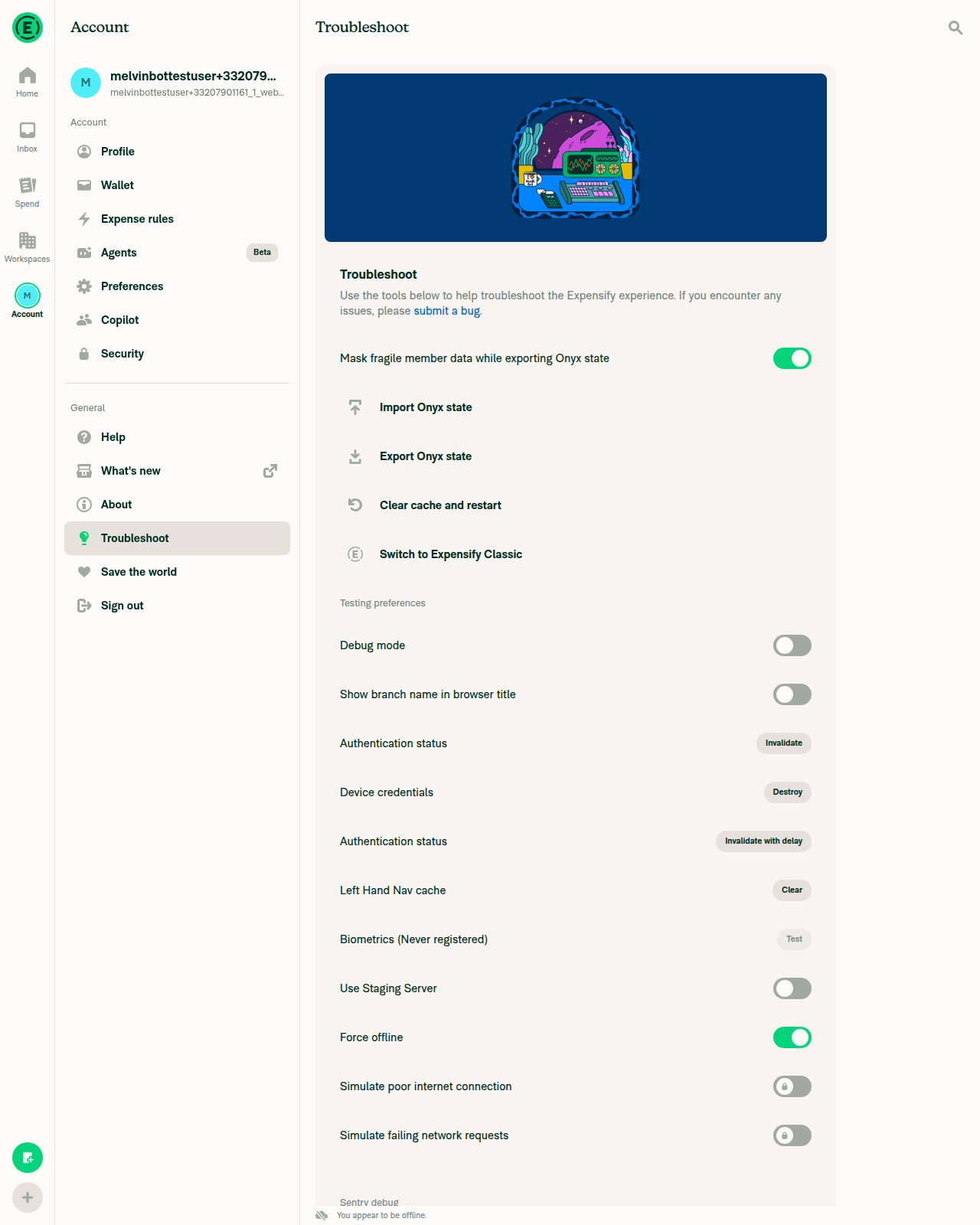
Force offline enabled; 'You appear to be offline' banner visible

Message sent while offline is queued in the chat
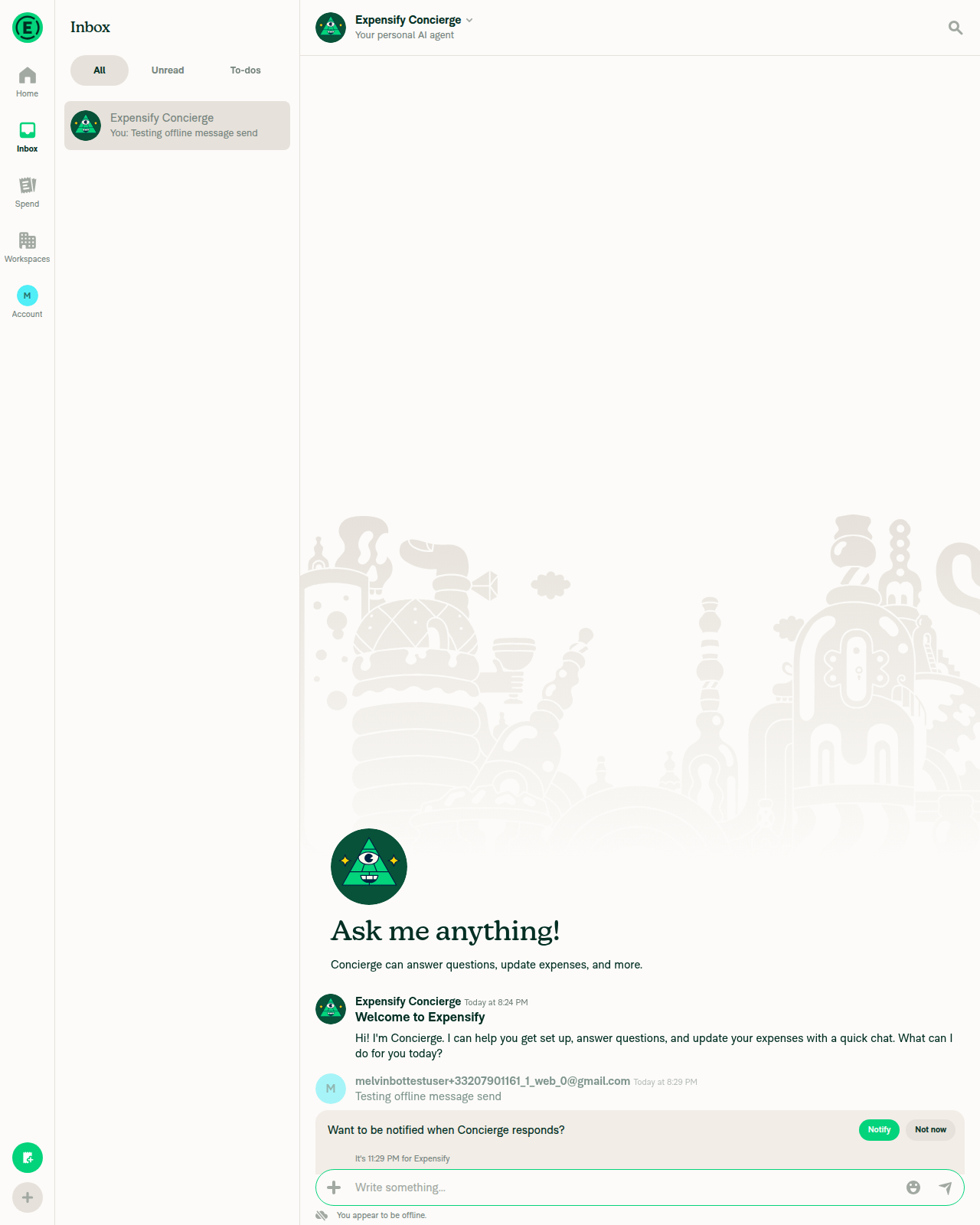
Message sent while offline is queued in the chat

Force offline disabled, offline banner cleared
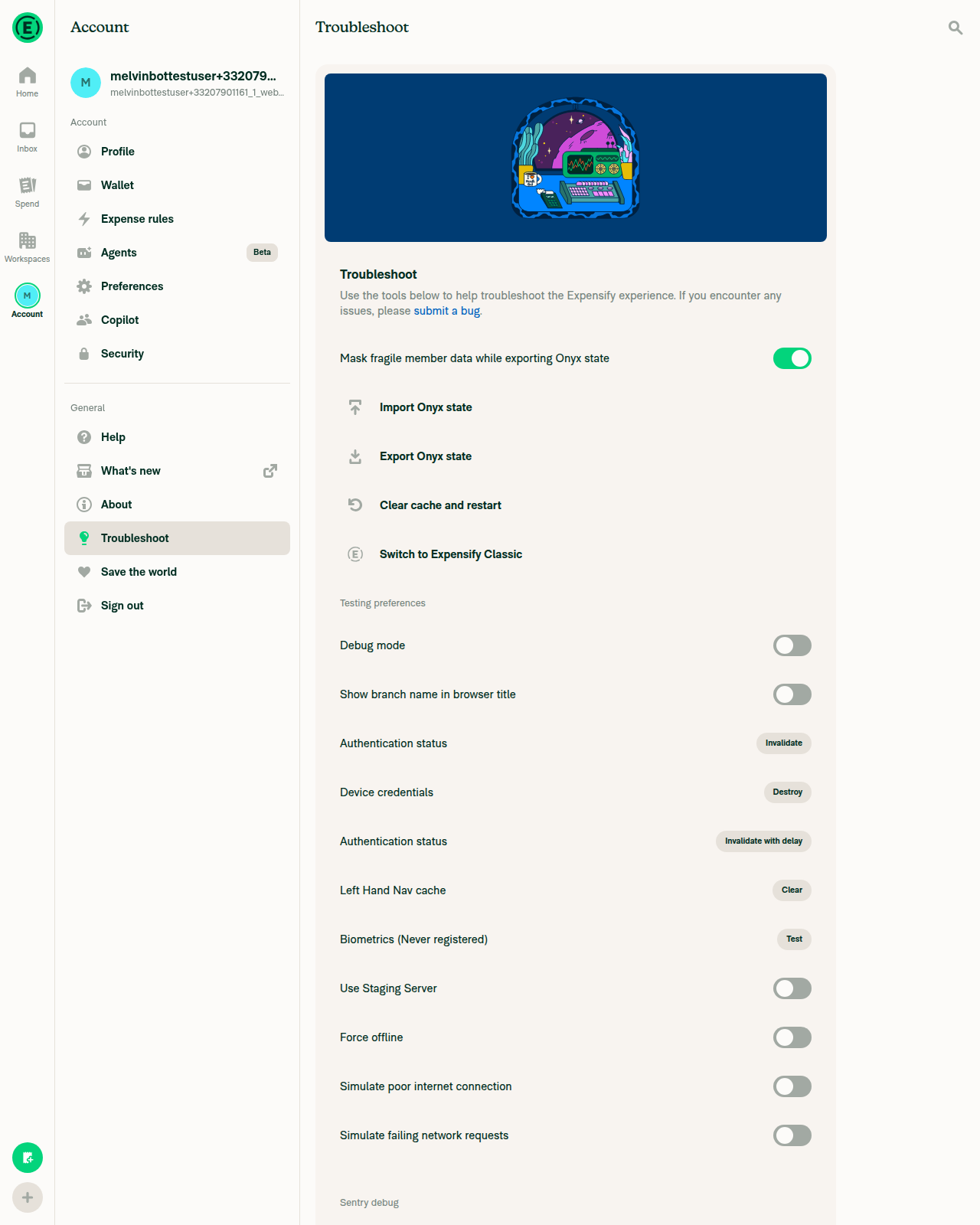
Force offline disabled, offline banner cleared

Reconnected: queued message delivered normally after coming back online
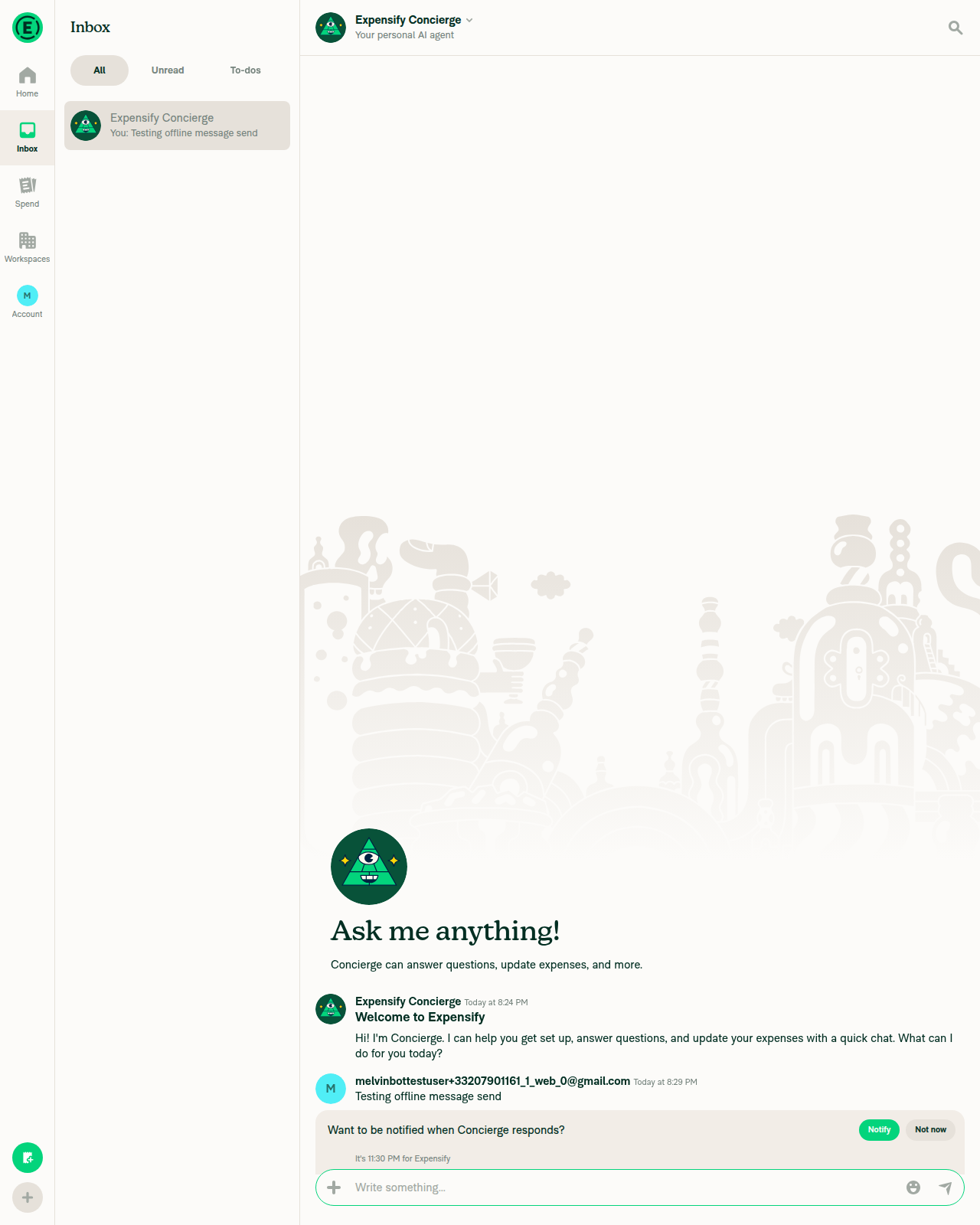
Reconnected: queued message delivered normally after coming back online

Two caveats on coverage

1. "No JS console errors" was verified indirectly. The web harness has no browser-console command, so the check was zero failed HTTP requests across the whole session plus no error-boundary/crash UI in any screenshot. That is weaker than reading console.error directly — a caught-and-logged JS error would not show up.

2. The offline pass used the in-app simulator, not a real network cut. Settings → Troubleshoot → "Force offline" marks the app offline for the banner and the optimistic queue, but it does not drop the socket. So this run exercised the offline UX, not the network_retry / UNABLE_TO_RETRY reauthentication path that change 2 modifies. That path needs a genuine mid-reauthentication connection drop, which this environment can't produce. tests/unit/trackAuthenticationErrorTest.ts covers the routing for it at the unit level.

Also worth noting for the record: because all three changes route signals to Sentry rather than change behavior, a passing manual web run confirms no regression but cannot confirm the signals actually landed in Sentry logs. Confirming that needs a look at the Sentry project after this deploys.


view run

@MelvinBot

MelvinBot commented Aug 28, 2026

Copy link
Copy Markdown
Contributor Author

Android test run: ✅ pass

Ran this PR's testing steps on Android (standalone developmentDebug NewDot on an emulator) against the claude-sentryNoiseToLogs branch. The app booted past the bootsplash to Home, normal navigation produced no new JS errors, and a full offline → online cycle worked cleanly.

Step Status Observation
App boots past bootsplash and reaches Home without hanging ✅ pass logcat shows a normal SplashScreenView remove plus the JS Sentry spans BootsplashVisible / BootsplashVisibleOnyx / … / BootsplashVisibleDeepLink completing in sequence. Home rendered ("Good evening, Melvin.") with no stuck-splash symptoms.
No errors in JS/console log output after load ✅ pass Grep for console.error / E-ReactNativeJS / FATAL EXCEPTION around boot found only two pre-existing dev-only RN warnings (see below). No crashes, no new errors.
Normal navigation (chat, Settings) produces no log errors ✅ pass Opened Inbox → Concierge report and the Settings/Account page. Grep of the log between the Verify2-start-home-reached and Verify3-after-navigation marks shows zero new console.error / E-ReactNativeJS / crash lines.
Offline pass: indicator appears, send works, no log errors ✅ pass Disabled emulator network (adb svc data/wifi disable, confirmed via dumpsys connectivity → "Active default network: none"). The "You appear to be offline" banner appeared and a sent message ("Testing offline message") queued pending sync. Log shows the expected non-fatal internal API failure for AuthenticatePusher (ERR_INTERNET_DISCONNECTED) and "Pusher PINGPONG] Skipping PING because the client is offline" — handled internally, no console.error output.
Back online: reconnects, indicator clears, pending action syncs, no log errors ✅ pass Re-enabled network; banner disappeared, the pending message rendered as synced with a full-color avatar, compose bar returned to normal. Log shows "[Reconnect] Offline→online, flushing queue", "[Reconnect] Triggering reconnection", a successful ReconnectApp call (jsonCode 200), and the Sentry span ManualReconnectServerResponse…attempt: 4. Zero new console.error / E-ReactNativeJS / crash entries.
Evidence (6)

Home screen reached after boot

Home screen reached after boot

Concierge chat report open
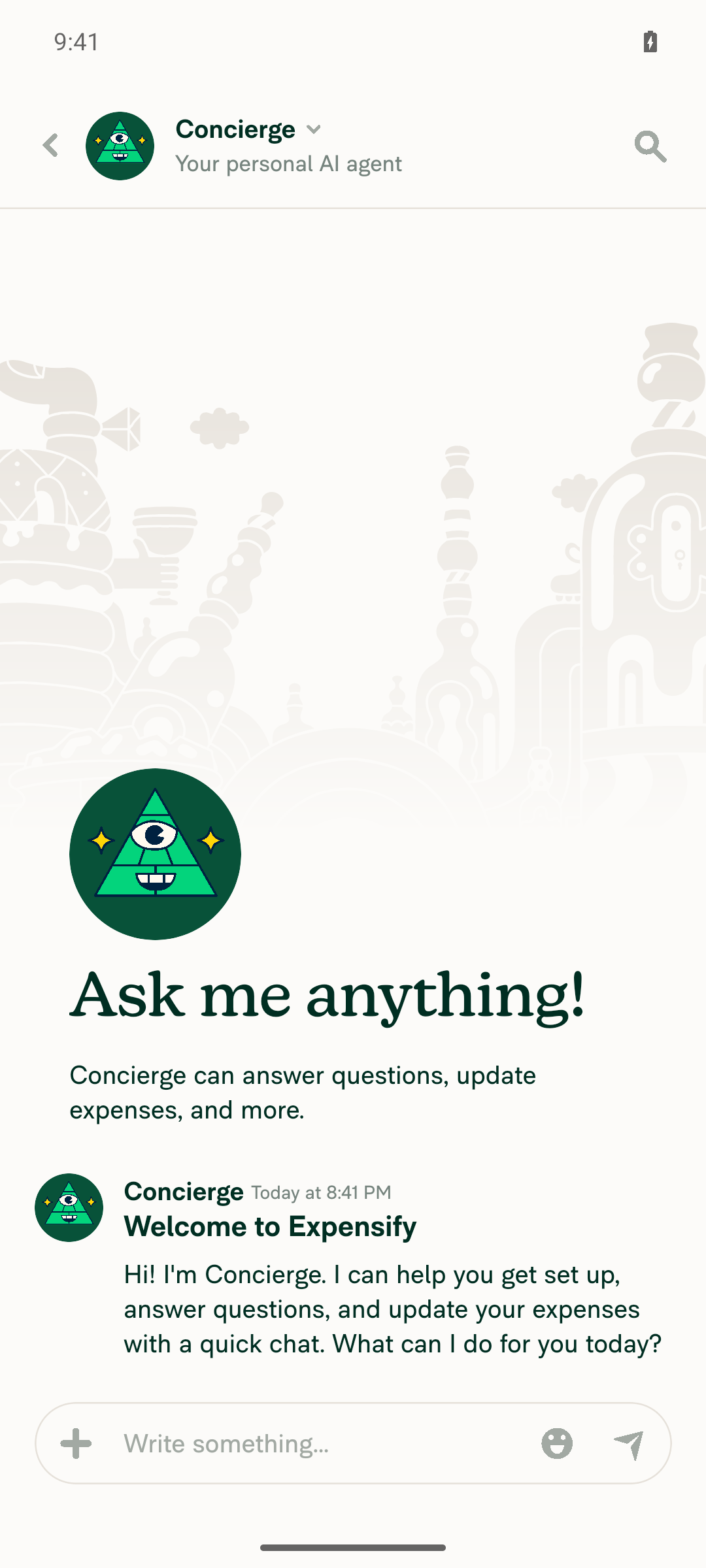
Concierge chat report open

Settings/Account page
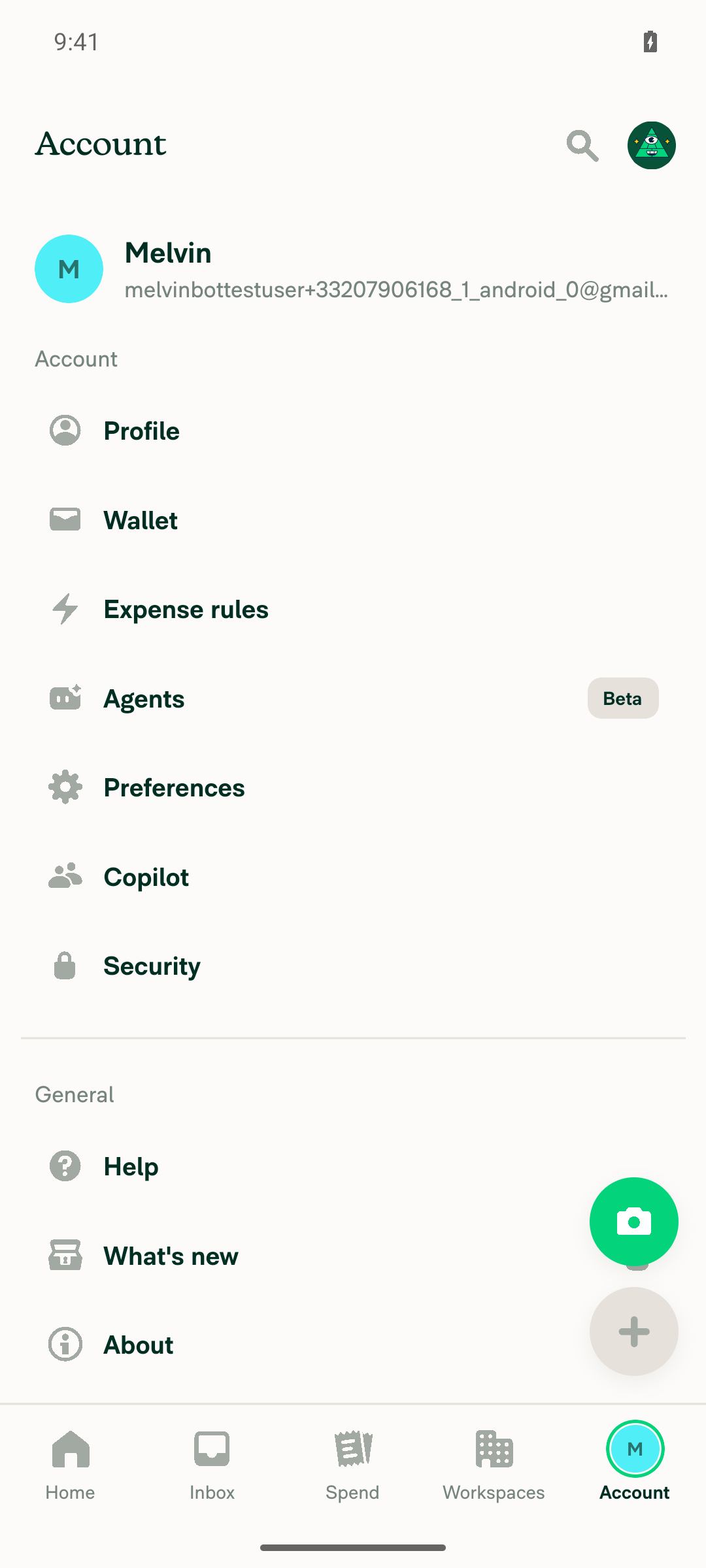
Settings/Account page

Offline indicator visible in chat
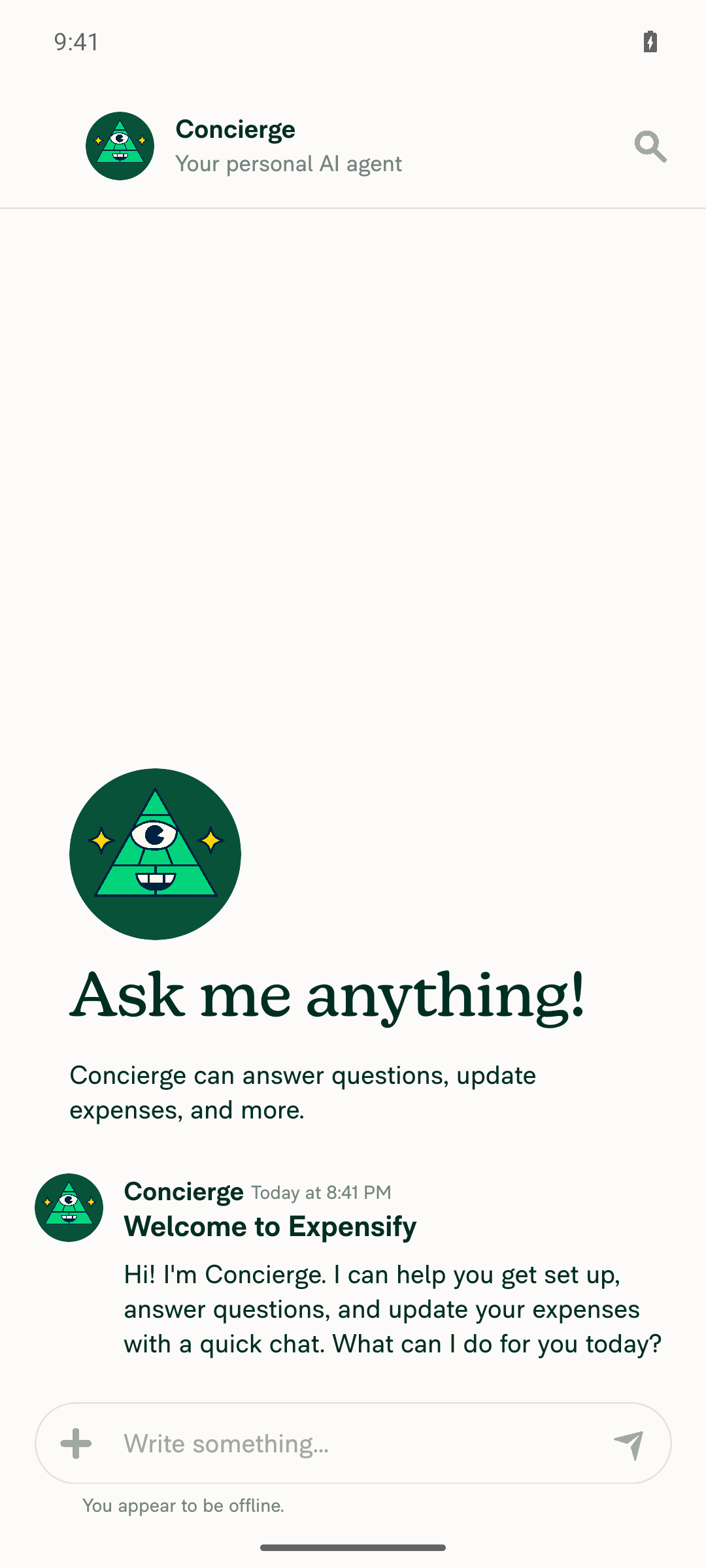
Offline indicator visible in chat

Message queued while offline
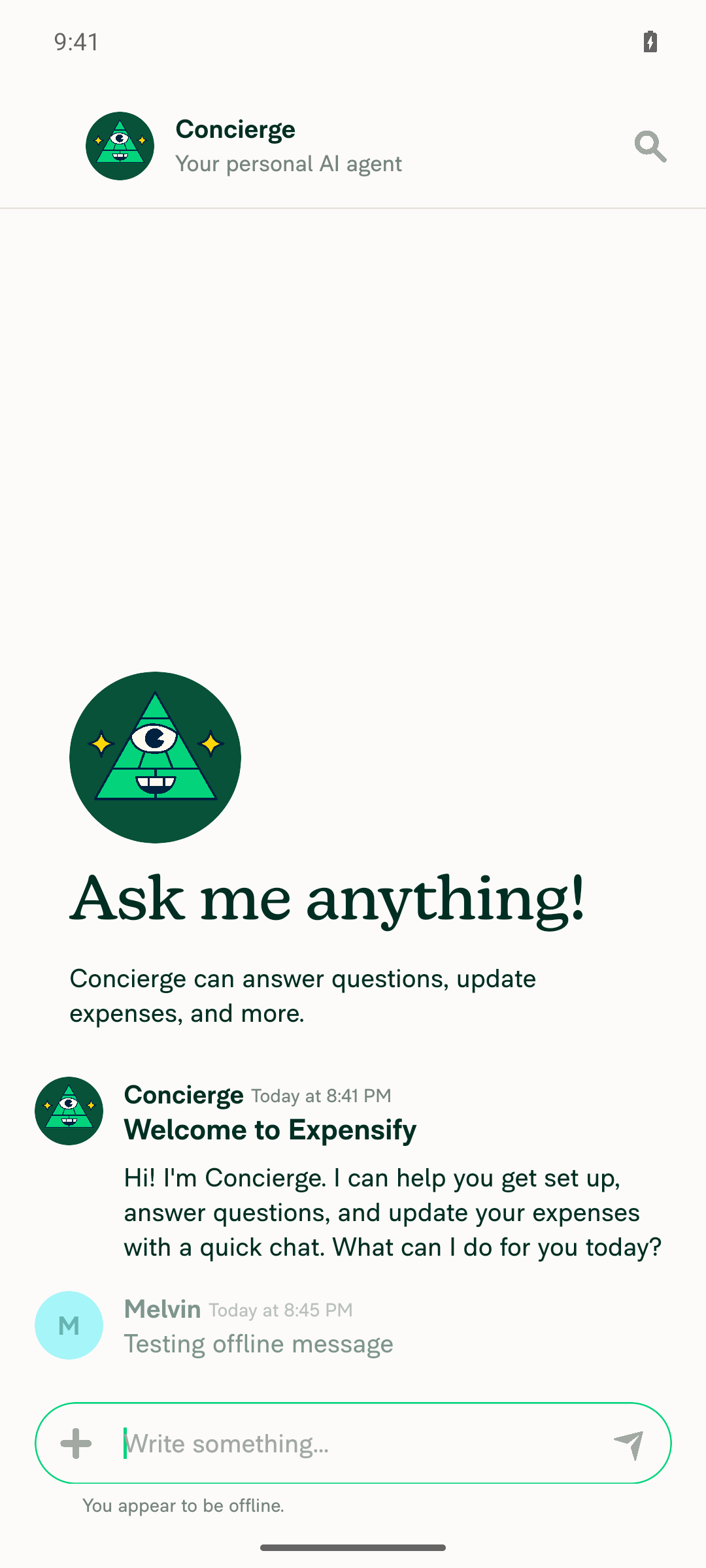
Message queued while offline

Back online, message synced, offline indicator cleared
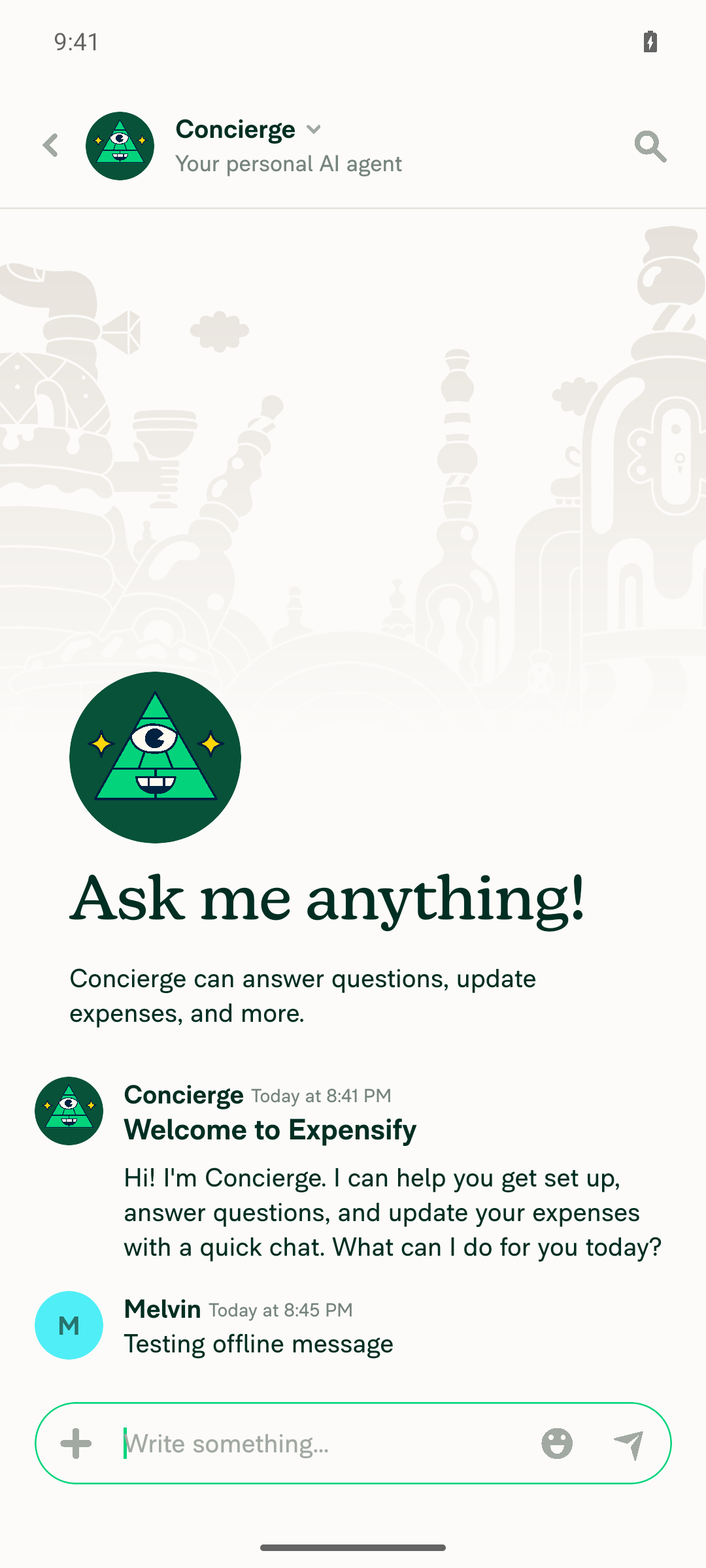
Back online, message synced, offline indicator cleared

Console output worth noting

Two E/ReactNativeJS lines appeared during boot. Both are pre-existing dev-only warnings, not regressions from this change:

  • The result of getSnapshot should be cached to avoid an infinite loop
  • The action 'DISMISS_MODAL' was not handled by any navigator. This is a development-only warning and won't be shown in production.

Coverage note

The offline pass here was a real network cut (adb svc data/wifi disable), not an in-app simulator — stronger than the web run, which could only use the "Force offline" toggle. The socket genuinely dropped, and the logs confirm it: AuthenticatePusher failed with ERR_INTERNET_DISCONNECTED and Pusher skipped its PING. That exercises the connection-loss territory around change 2, though I did not observe a network_retry / UNABLE_TO_RETRY event specifically, since that requires the drop to land mid-reauthentication. tests/unit/trackAuthenticationErrorTest.ts covers that routing at the unit level.

As with the web run: because all three changes only reroute signals to Sentry, a passing manual run confirms no regression but cannot confirm the signals actually landed in Sentry logs. That needs a look at the Sentry project after this deploys.


view run

Evidence (1)

Recordings

- [▶ Session recording of the verification run](https://melvinbot-assets.exops.io/session-33207906168-1-478c9aaf-969d-43a6-a71f-3b7aae301a98.mp4)

Sign up for free to join this conversation on GitHub. Already have an account? Sign in to comment

Labels

Melvin-Test-Android Melvin-Test-Web Triggers Melvin to run the testing steps of the PR on web

Projects

None yet

Development

Successfully merging this pull request may close these issues.

2 participants