Published alpha: v0.1.0-alpha.1
Current source target: portable-core repair for v0.1.0-alpha.2
Runtime line: Pivot 13 v0.13.0-a3
Status: experimental, source-first Linux alpha
SignalCloud Engine is a C++20 point-cloud game engine and authoring environment built around ALMOND SIGNAL: LIVE TAPE. The repository includes the native game, engine-native stress and machine-profile tools, Point Cloud Paint++, SignalCloud Studio, +SCFS+ font authoring, Illuminosity Light Lab, Jitter & Material Lab, Universal Playbook authoring, the 3D Environment & Physics Showcase, and the Tupd recipe workbench.
This is a working alpha rather than a finished game. File formats, APIs, visuals, performance behavior, and save compatibility may change before beta.
The public repository intentionally does not track content/core/.
Development copies of that directory once contained machine-local paths, so a
public clone now creates a deterministic and privacy-safe core on the user's own
computer.
The public core system consists of:
| Path | Purpose |
|---|---|
scripts/build_core.sh |
User-facing builder command |
tools/core_builder.py |
Deterministic core generator and verifier |
docs/PORTABLE_CORE_BUILDER.md |
Detailed builder and recovery guide |
content/core/ |
Generated runtime core; intentionally ignored by Git |
user_data/core_builder/core_receipt.json |
Local integrity receipt; intentionally ignored by Git |
Normal setup and launch scripts call the builder automatically. For a first installation, running it explicitly makes failures easier to diagnose:
./scripts/build_core.sh
./scripts/build_core.sh --verify-only
The builder rejects private home-directory paths and uses portable project-root
placeholders. Never commit content/core/, user_data/, machine profiles,
reports, build directories, or local recovery archives.
- C++20 point-cloud runtime with SDL3/OpenGL applications
- ALMOND SIGNAL: LIVE TAPE Pivot 13 gameplay proof
- adaptive 8M environment profile with a protected 4M fallback
- engine-native workload and stress testing with machine-profile promotion
- thermal, memory, watchdog, interruption, and recovery controls
- Point Cloud Paint++ layered asset authoring and native preview
- SignalCloud Studio and managed authoring tools
- +SCFS+ layered point-font authoring and native SCFONT runtime
- Illuminosity, material/jitter, audio-interference, and Playbook systems
- 3D Environment & Physics Showcase and Tupd recipe workbench
- Asset Doctor plus deterministic content-pack inspection and installation
- repository-safe public-source audit and deterministic release manifests
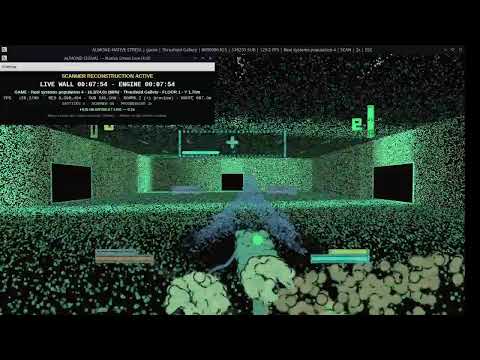
Watch the SignalCloud Engine stress-test clip on YouTube
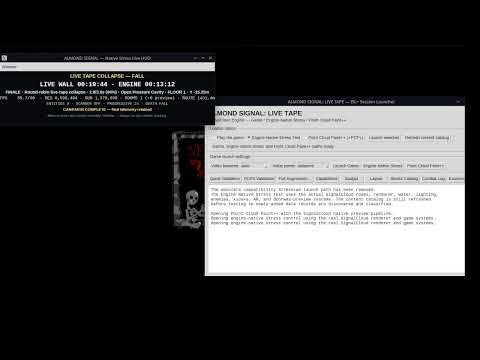
Watch the full demonstration starting at 1:24
Public-alpha footage may differ from the current source tree.
Validated environments currently include:
- CachyOS/Arch-family Linux, KDE Plasma 6, Wayland, NVIDIA + Intel hybrid graphics
- Kubuntu 24, SDL3/OpenGL, Intel/Mesa, with X11 and Wayland-aware launch paths
Linux is the only supported public target in this alpha. Windows and macOS are not currently claimed.
Clone the repository:
git clone https://github.com/DigiMancer3D/SignalCloud-Engine.git
cd SignalCloud-Engine
Or download a source ZIP/TAR release, extract it, and open a terminal in the
SignalCloud-Engine directory.
The setup script can install missing packages automatically on Ubuntu-family systems. Arch/CachyOS users should install the equivalent packages first.
sudo pacman -S --needed \
  base-devel cmake ninja python tk git pkgconf mesa \
  libx11 libxext libxrandr libxcursor libxi libxfixes libxss libxtst \
libxkbcommon wayland wayland-protocols libdecorsudo apt update
sudo apt install -y \
build-essential cmake ninja-build python3 python3-venv python3-tk \
git pkg-config tar libgl1-mesa-dev \
libx11-dev libxext-dev libxrandr-dev libxcursor-dev libxi-dev \
libxfixes-dev libxss-dev libxtst-dev libxkbcommon-dev \
libwayland-dev wayland-protocols libdecor-0-devchmod +x scripts/*.sh tests/*.sh./scripts/build_core.sh
./scripts/build_core.sh --verify-onlyExpected completion includes:
SignalCloud portable core built: ... assets
SignalCloud portable core verification: PASS
./scripts/setup_dev_environment.shThe script creates or reuses a private Python environment under the user's XDG data directory. When a compatible SDL3 installation is unavailable, CMake fetches and builds the pinned SDL3 fallback once in the shared SignalCloud cache.
./scripts/run_selftests.shThis validates source literals, embedded GLSL, the generated core, authored runtimes, SCFONT, SCUI/Tk smoke surfaces, Asset Doctor, Python regression tests, native CTest targets, launch bridges, Showcase, Tupd, and public-source policy.
Recommended first entry:
./scripts/launch_control_panel.shDirect game launch:
./scripts/launch_game.sh autoOn KDE Wayland, the explicit mode is:
./scripts/launch_game.sh wayland./scripts/launch_native_stress_gui.sh
./scripts/launch_studio.sh
./scripts/launch_pcp3.sh
./scripts/launch_scfs.sh
./scripts/launch_light_lab.sh
./scripts/launch_playbook_editor.sh
./scripts/launch_showcase.sh
./scripts/launch_tupd_workbench.shPack filenames must end in .scpack.zip.
Inspect a pack without installing it:
./scripts/inspect_content_pack.sh /path/to/Pack_Name.scpack.zipInstall an accepted pack atomically:
./scripts/install_content_pack.sh /path/to/Pack_Name.scpack.zipThen validate the complete content tree:
./scripts/run_asset_doctor.sh- Launch
./scripts/launch_native_stress_gui.sh. - Review resolution, FPS, workload, RAM, CPU/GPU advisories, thermal sensor, and safe/fail/force-stop thresholds.
- Run an exploratory campaign first on a new machine.
- Use Official + Promote only after the selected target and protection policy are confirmed safe for that system.
- Launch the game again. A valid active profile supplies its target resolution, FPS, environment budget, and protected fallback.
Thermal telemetry can be monitor-only. Do not override limits beyond what is safe for the hardware being tested.
Verify the current generated core:
./scripts/build_core.sh --verify-onlyRebuild it when its receipt is stale or a generated file was changed:
./scripts/build_core.sh --forceA forced rebuild replaces only generated content/core/ data. User-authored
managed content belongs under content/user/, not under content/core/.
If setup fails after an interrupted native build:
rm -rf build build-core
./scripts/setup_dev_environment.sh
Additional recovery commands:
./scripts/show_machine_profile.sh
./scripts/recover_native_stress_runs.sh
./scripts/repair_clock_skew.sh
./scripts/repair_pcp3_workspace.sh
./scripts/run_asset_doctor.sh./scripts/check_public_release_ready.sh
./scripts/audit_public_source.sh
./scripts/build_public_alpha_release.shGenerated core data, build output, reports, machine profiles, saves, caches, private paths, credentials, and conversation exports must remain outside public source archives.
INSTALL.md— detailed installation and first-run troubleshootingdocs/PORTABLE_CORE_BUILDER.md— portable-core design, commands, and recoverydocs/public/GITHUB_PUBLICATION_GUIDE.md— owner publication workflowdocs/public/PUBLIC_SOURCE_RELEASE_CHECKLIST.md— public acceptance boundarydocs/user/— gameplay and tool guidesdocs/help/— detailed authoring helpCONTRIBUTING.md— contribution workflowSECURITY.md— private vulnerability reportingTHIRD_PARTY_NOTICES.md— dependency and asset licensing notices
- Linux is the only supported public target.
- The first setup can take time while the pinned SDL3 fallback is built.
- The recovered editable legacy SCFONT does not contain every layer from the original private multi-layer font; the portable core generates a valid runtime fallback until the custom artwork is rebuilt.
- PCP3 retains historical
editor_branch*.pymodules behind its stable launcher. - Physics Showcase is a bounded engine proof, not a production rigid-body stack.
- Public binary packages, CI-built AppImages, and Windows/macOS packages are not included yet.
- APIs, schemas, managed content, and save compatibility may change before beta.
CONTENT_LICENSES.mdexplains the MIT/CC0/third-party boundary.content/starter/LICENSE.mdscopes public starter-pack data.RELEASE_INTEGRITY.mdexplains audits, manifests, and checksums.KNOWN_LIMITATIONS.mdstates what this alpha does not promise.SUPPORT.mdexplains how to report problems without exposing private data.
Unless a file or managed asset declares another license, this repository's code,
tools, documentation, and original ALMOND SIGNAL: LIVE TAPE content are licensed
under the MIT License. Showcase starter assets and records marked CC0-1.0
remain under CC0 1.0 Universal. External dependencies retain their upstream
licenses.
Created and directed by DigiMancer3D.